




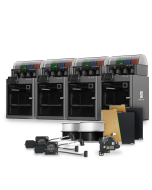
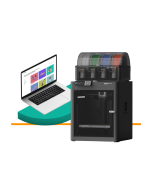
2026 Edition Professional 3D Printer Buyers Guide
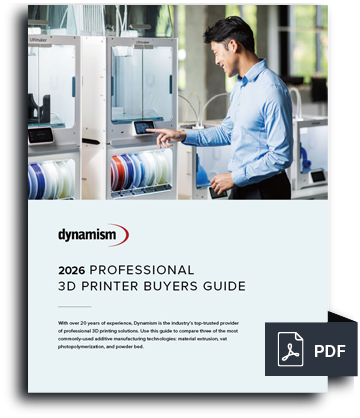
Choosing the right 3D printer doesn't have to be difficult. Find the perfect printer for your application. This in-depth guide covers pricing, materials, dimensional accuracy, and more.
Download now Leading Tech Since 1997
 Dynamism Digital Manufacturing Fast and Professional on-demand 3D Printing Start Printing Now
Key Features:
Please Note: This item is unable to be shipped outside the U.S.


Shop with Confidence
Dynamism will match a competing offer on qualified items. Learn More
Currently Viewing


Founded in 1997, we bring next-generation technology to customers, with an emphasis on expertise and white-glove service. Showrooms in Chicago, Detroit, Tokyo, and Seoul.
The leading national supplier of Desktop 3D printers. Expertise in both Industrial and Desktop 3D printing. Supplier of next-generation Metal, SLS, ultrafast Industrial printers.
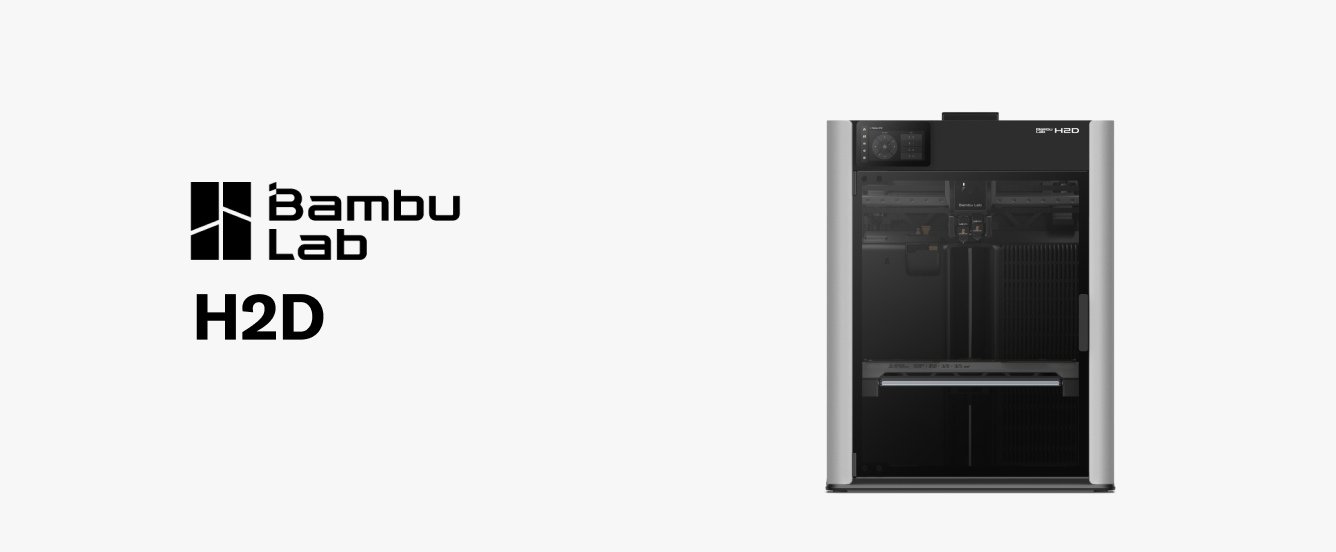
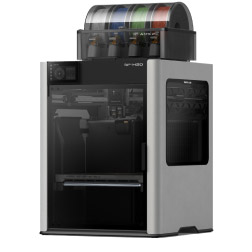
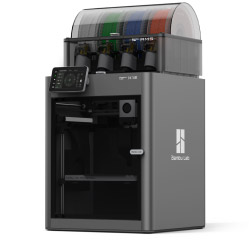
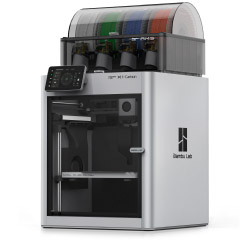
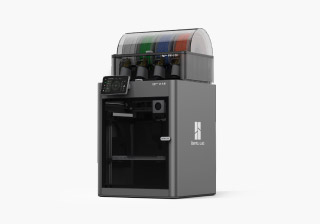
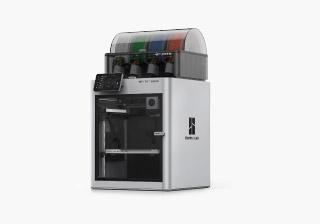
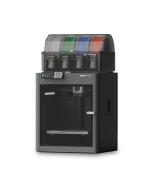
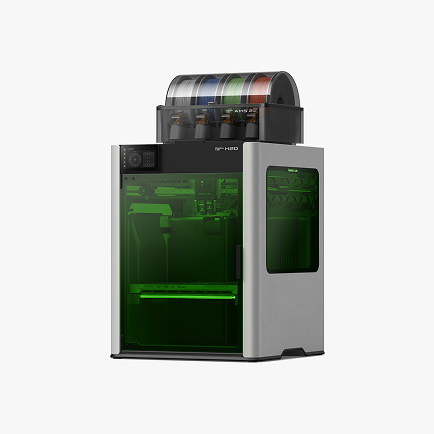
The H2D seamlessly integrates dual-nozzle 3D printing, laser engraving and pen plotting, enabling users to bring their boldest ideas to life.
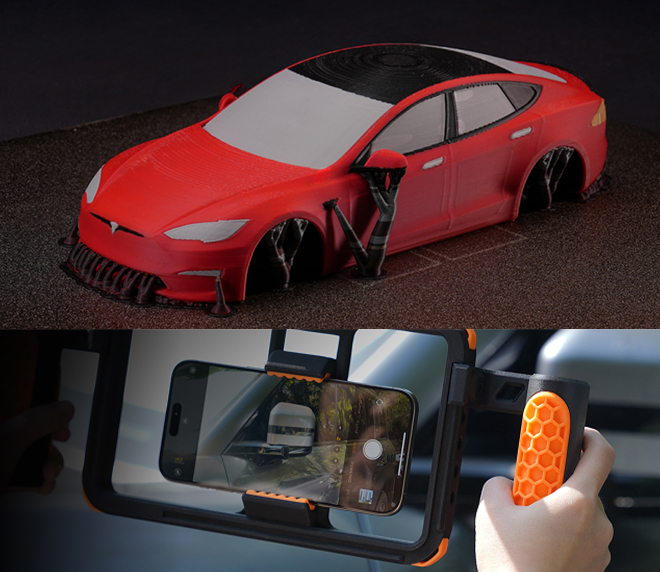
Expanded design freedom and reduced material waste.
Print flexible and rigid materials in the same project! Create dedicated support structures for perfect overhangs with minimal waste.
Save space and money by combining multiple tools into a single, integrated system.
The H2D is more than just a 3D printer. With optional modules, it becomes a laser engraver and cutter, a digital cutter for materials like vinyl and fabric, and a pen plotter for intricate drawings and artwork.
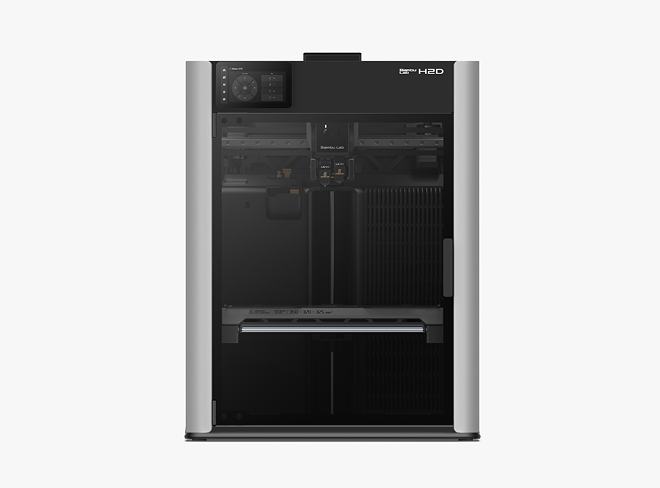
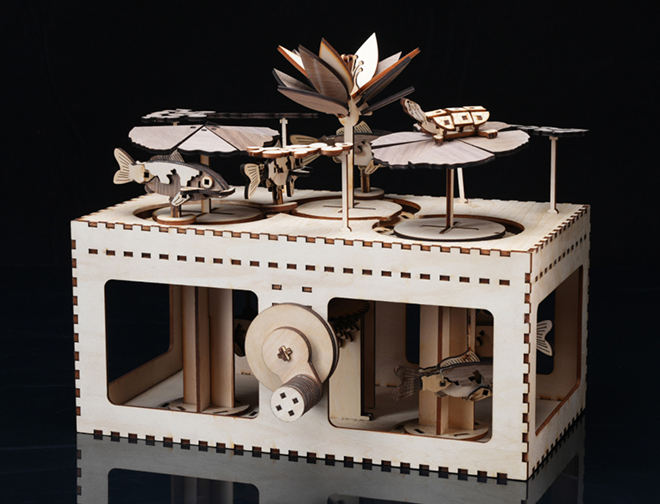
Expand creative horizons and offer personalized products. Optional add ons available in 10W and 40W modules.
Add intricate details to projects with the powerful laser engraving and cutting capabilities. Engrave on wood, leather, acrylic, and more.
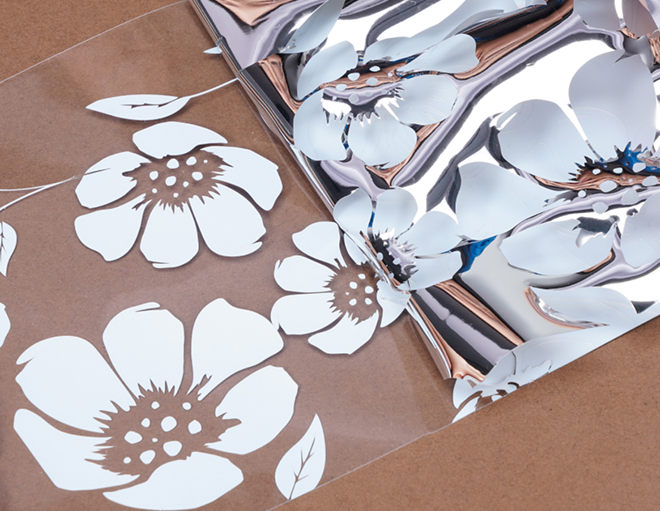
Easily create custom designs with the optional digital cutting module.
Precisely cut a wide variety of materials, including vinyl, paper, fabric, and thin plastics. Create custom stickers, decals, stencils, and more.
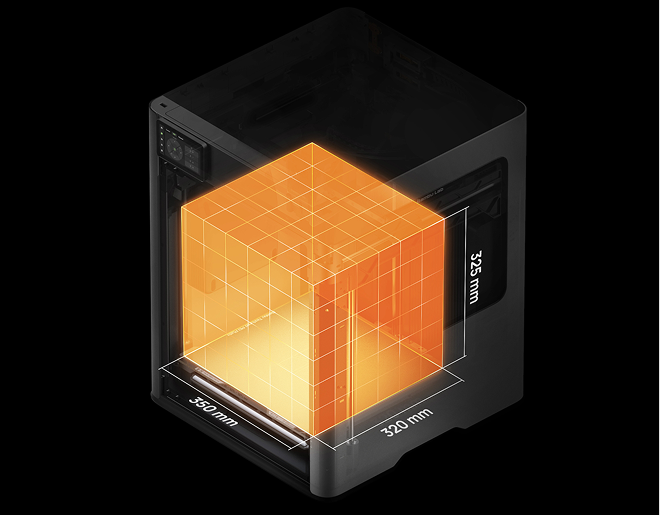
Print bigger models, engrave larger objects, and the your most ambitious designs to life.
With a generous build volume of up to 350mm x 320mm x 325mm, the H2D lets users create large-scale projects with ease.
Create strong, durable, and functional parts for demanding applications.
The H2D includes a 350°C hotend and a 65°C actively heated chamber, allowing users to print with high-performance materials like ABS, ASA, PC, and nylon without warping or deformation.
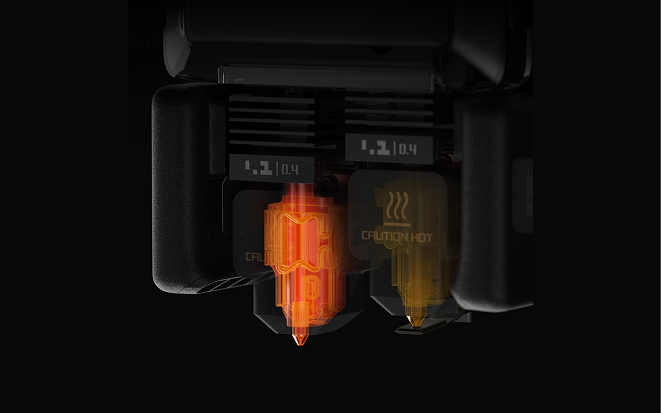
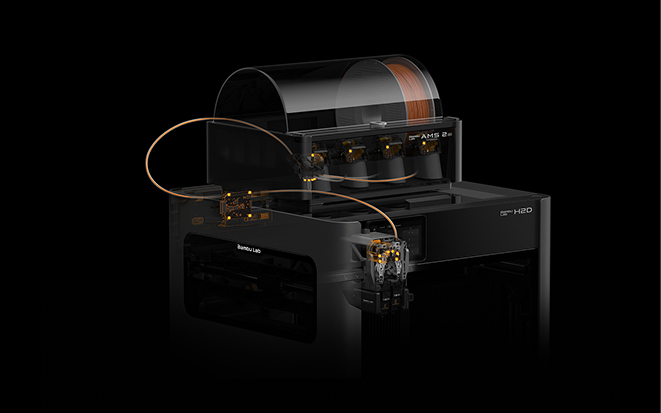
Reliable and consistent printing, even with challenging materials.
The H2D features a filament monitoring system with 15 sensors that track filament flow, tension, and more. Get real-time alerts and prevent print failures due to filament issues.
Minimize waste and maximize resources.
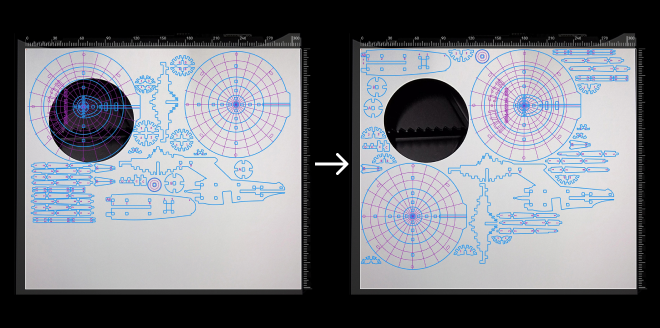
Leveraging real-time images from the BirdsEye camera, Bambu Suite can automatically arrange projects according to the shape of material, i.e left over plywood from the previous project.
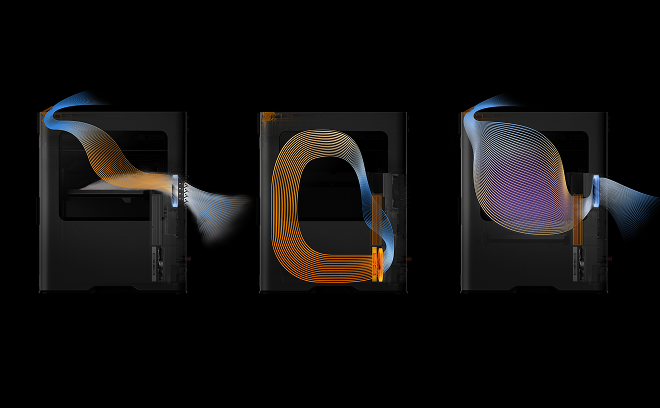
Enhanced safety and optimized performance.
The H2D features comprehensive material flow monitoring. Throughout the AMS-to-nozzle path, 15 strategic sensors form an intelligent network, continuously tracking five key parameters: feeding velocity, tension, filament tip location, extruder thermal environment, and dynamic extrusion pressure.
| H2D | H2D AMS Combo | H2D Laser Full Combo | |
|---|---|---|---|
 Bambu Lab H2D
|
 |
|
|
 Bambu Lab H2D Laser Edition
 |
|
||
 Build Plate Build Plate |
|
|
|
 Spool Holder Spool Holder |
|
|
|
 Accessory Box Accessory Box |
|
|
|
 AMS 2 Pro AMS 2 Pro |
|
|
|
 10W Laser Module 10W Laser Module |
Depending on selected combo | ||
 40W Laser Module 40W Laser Module |
Depending on selected combo | ||
 Cutting Module (with Pen Holder) Cutting Module (with Pen Holder) |
|
||
 Laser Platform Laser Platform |
|
||
 Cutting Platform Cutting Platform |
|
||
 Safety Key Safety Key |
|
|
|
 Ventilation Pipe Ventilation Pipe |
|
||
 Laser & Cutting Material Laser & Cutting Material |
|
||
 Emergency Stop Button Emergency Stop Button |
|
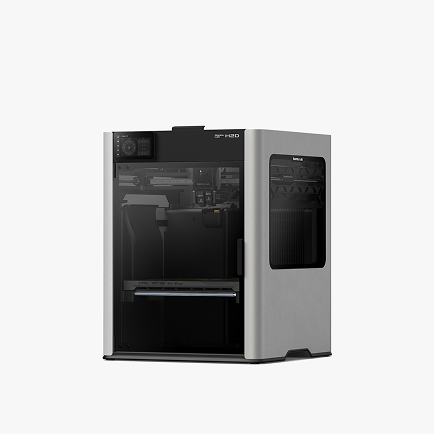
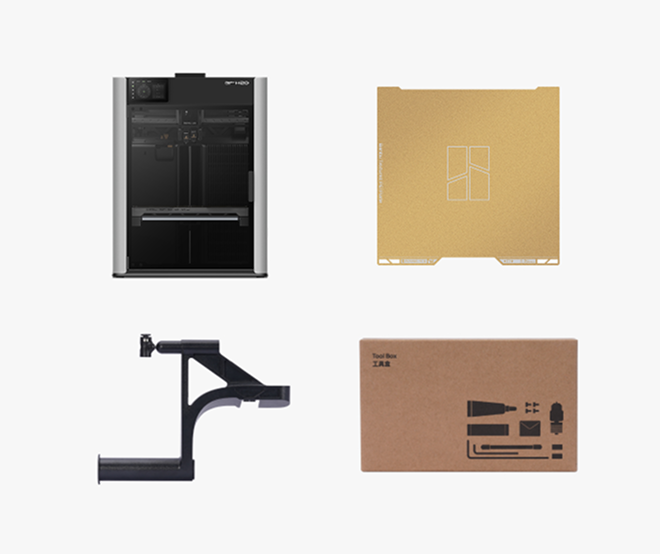
The core dual-nozzle 3D printing system.
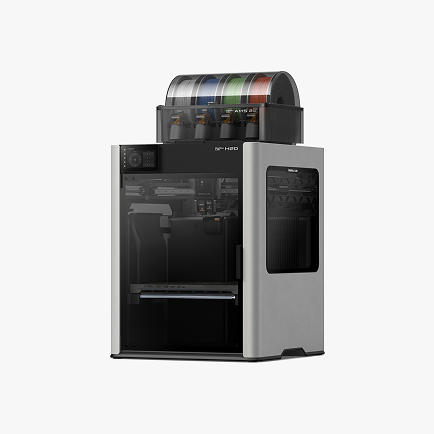
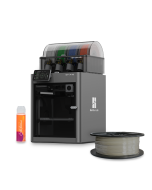
Includes the H2D and the advanced AMS 2 Pro for multi-material printing.
Includes the H2D, AMS 2 Pro, 10W laser module, cutting module, and platforms.
Higher Temp 350℃ (Nozzle)
 Only the H2D and H2D Laser offer a high-temperature nozzle capable of reaching up to 350°C
Larger Build Volume
The H2D series features an expanded build volume compared to the P1S and X1E, giving users more space for larger or more complex prints.
Dual Nozzle
Print speed is highly dependent on print settings, the nozzle being used, the material being printed, etc. However Bambu's print speeds are unrivaled among desktop FFF printers- these are the fastest print times among any printers we carry in this size range.
Max Speed 1000mm/s
Print speed is highly dependent on print settings, the nozzle being used, the material being printed, etc. However Bambu's print speeds are unrivaled among desktop FFF printers- these are the fastest print times among any printers we carry in this size range.
Wifi Connectivity
Print speed is highly dependent on print settings, the nozzle being used, the material being printed, etc. However Bambu's print speeds are unrivaled among desktop FFF printers- these are the fastest print times among any printers we carry in this size range.
Hardened Steel Nozzle
Hardened steel nozzles are less prone to deterioration (compared to stainless steel), so they are recommended for printing abrasive materials, such as Carbon Fiber filaments. Hardened steel nozzles expand filament compatibility along with the hardened steel extruder components, so that consumable parts (like nozzles) will need to be replaced less often.
Micro Lidar Smart Capable
Print speed is highly dependent on print settings, the nozzle being used, the material being printed, etc. However Bambu's print speeds are unrivaled among desktop FFF printers- these are the fastest print times among any printers we carry in this size range.
Touch screen Display
Bambu Lab P1S ComboThe X1E features the capability for ethernet cable connection, which can provide more stable & reliable network connectivity. It also allows for use in LAN mode, so users can run the printer without connecting directly to the internet - useful for organizations with specific security requirements. While giving you live maintenance task recommendations and QR codes linked to Bambu's wiki for troubleshooting.
Filament Run out Sensor
Filament Run Out Sensors help reduce print failures because it prevents the printer from continuing a print in the absence of filament. This feature also helps reduce waste as it should allow the printer to use up the end of a spool, and if there is another spool of the same material loaded in the AMS, it can automatically change over to the next spool. This also makes it more worry-free to leave the printer unattended while in use.
Activated Carbon Filter
Used for filtering the air from the enclosure before its expelled- especially useful for printing filaments like ABS, PC, PA and other materials with higher print temps (which can produce more VOCs). VOCs are absorbed by the active carbon filter.
Active Vibration Compensation
Vibrations created by the movement of 3D printer components can negatively impact the output and quality of a print. Bambu Lab printers use accelerometers to calculate the the vibrations, and then change the output to the motors to mitigate those vibrations, which helps to improve smoothness and overall quality of the print.
AMS Compatible
Bambu Lab P1S ComboThe Bambu AMS adds a number of useful features: it houses up to 4 spools of filament, and it allows printing with up to 4 materials in a single print - great for multi-color prints & prints needing support materials. Users can also link up to 4 AMS's together with the AMS Hub accessory, for up to 16 materials in a single print.
The AMS has a "filament backup" function that can automatically change to the next spool of filament when the first one runs out, which reduces down-time and the need to manually change spools, and it reduces filament waste because it will use up the last bits of the first spool before changing to the next one. The AMS also has an RFID reader to auto-detect what type of Bambu Lab filament is loaded.
Bambu Handy Compatible
Bambu Handy is a mobile app that allows users to remotely set and manage their printer. It provides real-time printing error alerts and reports, and can provide users step-by-step instructions to fix printing problems.
Chamber Monitor Camera
The chamber camera allows users to visually monitor their print progress from the Bambu Studio slicer. This is useful for longer prints, or when someone needs to leave the printer unattended. It can also be useful for quality control, and for troubleshooting an issue since it allows users to observe in real-time, thereby aiding in diagnosing problems more effectively. It can also provide helpful documentation or references for future projects, which is useful for education or sharing progress with others.
Heated/Flexible Build Plate
Heated beds improve adhesion to the print bed, so that prints are less likely to fail due to warping and coming detached mid-print. Heated beds also help improve print quality by providing a stable temperature for the foundation of the print, helping the first layers remain smooth and even.
Flexible build plates make it easier to remove the completed print, and they reduce the need to use tools (like scrapers) that could potentially damage the print or print surface when its adhered strongly to the plate.
WPA-2 Enterprise
WPA-2 Enterprise provides a higher level of security, which is especially useful for certain industries/ organizations where compliance regulations require the use of security protocols to protect sensitive information and ensure data privacy. It is highly scalable, and offers more flexibility by allowing organizations to tailor their security policies to meet specific needs.
Ethernet Connectable
The X1E features the capability for ethernet cable connection, which can provide more stable & reliable network connectivity. It also allows for use in LAN mode, so users can run the printer without connecting directly to the internet- useful for organizations with specific security requirements.
Higher Temp 350℃ (Nozzle)
Only the H2D and H2D Laser offer a high-temperature nozzle capable of reaching up to 350°C
Larger Build Volume
The H2D series features an expanded build volume compared to the P1S and X1E, giving users more space for larger or more complex prints.
Dual Nozzle
Print speed is highly dependent on print settings, the nozzle being used, the material being printed, etc. However Bambu's print speeds are unrivaled among desktop FFF printers- these are the fastest print times among any printers we carry in this size range.
Max Speed 1000mm/s
Print speed is highly dependent on print settings, the nozzle being used, the material being printed, etc. However Bambu's print speeds are unrivaled among desktop FFF printers- these are the fastest print times among any printers we carry in this size range.
Wifi Connectivity
Print speed is highly dependent on print settings, the nozzle being used, the material being printed, etc. However Bambu's print speeds are unrivaled among desktop FFF printers- these are the fastest print times among any printers we carry in this size range.
Hardened Steel Nozzle
Hardened steel nozzles are less prone to deterioration (compared to stainless steel), so they are recommended for printing abrasive materials, such as Carbon Fiber filaments. Hardened steel nozzles expand filament compatibility along with the hardened steel extruder components, so that consumable parts (like nozzles) will need to be replaced less often.
Micro Lidar Smart Capable
Print speed is highly dependent on print settings, the nozzle being used, the material being printed, etc. However Bambu's print speeds are unrivaled among desktop FFF printers- these are the fastest print times among any printers we carry in this size range.
Touch screen Display
Bambu Lab P1S ComboThe X1E features the capability for ethernet cable connection, which can provide more stable & reliable network connectivity. It also allows for use in LAN mode, so users can run the printer without connecting directly to the internet - useful for organizations with specific security requirements. While giving you live maintenance task recommendations and QR codes linked to Bambu's wiki for troubleshooting.
Filament Run out Sensor
Filament Run Out Sensors help reduce print failures because it prevents the printer from continuing a print in the absence of filament. This feature also helps reduce waste as it should allow the printer to use up the end of a spool, and if there is another spool of the same material loaded in the AMS, it can automatically change over to the next spool. This also makes it more worry-free to leave the printer unattended while in use.
Activated Carbon Filter
Used for filtering the air from the enclosure before its expelled- especially useful for printing filaments like ABS, PC, PA and other materials with higher print temps (which can produce more VOCs). VOCs are absorbed by the active carbon filter.
Active Vibration Compensation
Vibrations created by the movement of 3D printer components can negatively impact the output and quality of a print. Bambu Lab printers use accelerometers to calculate the the vibrations, and then change the output to the motors to mitigate those vibrations, which helps to improve smoothness and overall quality of the print.
AMS Compatible
Bambu Lab P1S ComboThe Bambu AMS adds a number of useful features: it houses up to 4 spools of filament, and it allows printing with up to 4 materials in a single print - great for multi-color prints & prints needing support materials. Users can also link up to 4 AMS's together with the AMS Hub accessory, for up to 16 materials in a single print.
The AMS has a "filament backup" function that can automatically change to the next spool of filament when the first one runs out, which reduces down-time and the need to manually change spools, and it reduces filament waste because it will use up the last bits of the first spool before changing to the next one. The AMS also has an RFID reader to auto-detect what type of Bambu Lab filament is loaded.
Bambu Handy Compatible
Bambu Handy is a mobile app that allows users to remotely set and manage their printer. It provides real-time printing error alerts and reports, and can provide users step-by-step instructions to fix printing problems.
Chamber Monitor Camera
The chamber camera allows users to visually monitor their print progress from the Bambu Studio slicer. This is useful for longer prints, or when someone needs to leave the printer unattended. It can also be useful for quality control, and for troubleshooting an issue since it allows users to observe in real-time, thereby aiding in diagnosing problems more effectively. It can also provide helpful documentation or references for future projects, which is useful for education or sharing progress with others.
Heated/Flexible Build Plate
Heated beds improve adhesion to the print bed, so that prints are less likely to fail due to warping and coming detached mid-print. Heated beds also help improve print quality by providing a stable temperature for the foundation of the print, helping the first layers remain smooth and even.
Flexible build plates make it easier to remove the completed print, and they reduce the need to use tools (like scrapers) that could potentially damage the print or print surface when its adhered strongly to the plate.
WPA-2 Enterprise
WPA-2 Enterprise provides a higher level of security, which is especially useful for certain industries/ organizations where compliance regulations require the use of security protocols to protect sensitive information and ensure data privacy. It is highly scalable, and offers more flexibility by allowing organizations to tailor their security policies to meet specific needs.
Ethernet Connectable
The X1E features the capability for ethernet cable connection, which can provide more stable & reliable network connectivity. It also allows for use in LAN mode, so users can run the printer without connecting directly to the internet- useful for organizations with specific security requirements.
Yes, a Laser Upgrade Kit is available. The H2D laser full combo has a built-in air pump and air pipe on the back of the printer, and is pre-installed with a BirdsEye camera. The front door, left and right side Laser Protective Windows, and top cover are all designed with laser protection. The packaging list includes a laser module, a cutting module, a smoke exhaust pipe and its adapter, as well as an emergency stop button.
It is important to note that the air pump in the upgrade kit is an external air pump, which has a different installation structure from the built-in air pump in the full set. When using it, it can only be installed externally and connected to the machine through an air tube.
Yes, the left and right hotends have identical structures and materials, and can be used interchangeably.
Because H2D is a dual-hotend printer, and in the most extreme scenario, all AMS can be connected to one hotend while the other hotend uses an external spool holder, it can support up to 25 colors.
The first-generation AMS has been confirmed to have full plug-and-play compatibility and can be used with the H2D for multi-color printing, but it does not support the AMS drying function.
Due to the fundamental differences in the feeding mechanism and buffering structure, the H2D does not support the AMS lite.
The two 4-pin ports on the back are reserved for future expansion accessories. For example, to upgrade a non-laser version of the printer to a laser version, one of these ports can be used to connect an external air pump.
Although the hotend of the H2D series is similar to the A1 hotend in structure , it is not exactly the same.
The H2D hotends are specifically designed for the H2D printer, offering optimized compatibility. For example, they support a larger maximum volumetric flow rate, lower clogging risk, more precise nozzle offset calibration between the left and right hotends, and automatic hotend type recognition via the live camera. Therefore, to ensure optimal print quality, it is strongly recommended not to use A1 hotends on the H2D printer.
Therefore, to ensure you get the best print quality, we strongly recommend that you do not use the A1 hotend for H2D printers.
Purchasing additional H2D hotends for use on A1 printers is feasible. However, you will also need to use the H2D hotend silicone sock.
Both the 10W and 40W laser modules are blue light lasers that support processing a variety of materials, including wood, rubber, metal sheets, leather, dark acrylic, and stone. However, due to differences in power and size, there are the following distinctions:
1. Maximum cutting thickness(For Basswood Plywood):
10W laser module: 5mm;
40W laser module: 15mm;
2. Maximum engraving speed(For Basswood Plywood):
10W laser module: 400mm/s;
40W laser module: 1000mm/s;
3. Processable Area:
10W laser module: Maximum processing area X310mm * Y270mm, maximum processing height 280mm;
40W laser module: Maximum processing area X310mm * Y250mm, maximum processing height 265mm;
The package does not include a standard USB flash drive. You can still initiate printing normally without a USB, as the printer has built-in storage space to run print files.
However, without a USB inserted, the following functions will be affected:
1. The recording and time-lapse photography functions can't be turned on;
2. Printing cannot be initiated through the LAN;
3. Print files cannot be sent to the machine for storage through the studio;
4. Log files cannot be exported;
USB requirements: USB2.0 protocol or above (actual minimum write speed needs to be greater than 10M/s), supported file formats are FAT32 and exFAT. And the printer only supports mounting one USB, and cannot connect multiple USB via a USB hub.
The hotend to be used for printing has already been determined when the model file is sliced. As for the built-in models, the right hotend has been selected during the slicing process, so it is impossible to change the hotend used for printing on the printer screen.
When you slice the file in Bambu Studio and send the print task , you can freely choose to use the left hotend or the right hotend. For some filaments, such as TPU and PPS/PPA-CF, it is recommended to use specific hotends for printing.
For more details on H2D filament printing, please check the Wiki.
H2D is equipped with an efficient exhaust system that effectively removes smoke and dust generated by laser operations, significantly reducing contamination. During R&D, we conducted rigorous testing to ensure that with regular machine cleaning, the impact of smoke and dust on performance and precision is negligible. For detailed cleaning instructions, please refer to: Wiki.
Due to the flexible nature of TPU filaments, there are some operational issues that can arise during feeding and printing. To facilitate TPU printing, we have created a dedicated Wiki guide. Simply follow the instructions in the Wiki to successfully print with TPU filaments: Wiki.
Because laser processing involves using high-energy lasers on potentially flammable materials, we strongly advise users not to leave the machine unattended during laser operations. Please maintain constant vigilance over the machine's operational status and ensure that there are no flammable or explosive materials in the machine's surroundings. For more information please refer to: Wiki.
For more information about H2D, refer to the official Wiki.
Founded in 1997, we bring next-generation technology to customers, with an emphasis on expertise and white-glove service. Showrooms in Chicago, Detroit, Tokyo, and Seoul.
The leading national supplier of Desktop 3D printers. Expertise in both Industrial and Desktop 3D printing. Supplier of next-generation Metal, SLS, ultrafast Industrial printers.
2026 Edition Professional 3D Printer Buyers Guide
Choosing the right 3D printer doesn't have to be difficult. Find the perfect printer for your application. This in-depth guide covers pricing, materials, dimensional accuracy, and more.
Download now